Sign, Dispatch, and Seal Documents in Seconds
Zign gives growing teams and developers complete control over document signing — legally binding e-signatures, automated multi-party dispatch, and real-time audit trails with zero enterprise markup.


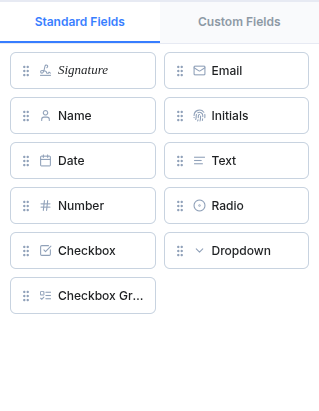
Prepare Documents. Collect Signatures.
Drag-and-drop signature fields directly onto any contract:
- Drag-and-Drop Fields: Place signatures, initials, dates, custom text boxes, checkboxes, and radio buttons.
- Recipient Management: Assign signing roles, color-code recipient tags, and track progress effortlessly.
- Ready-to-Sign Envelopes: Dispatch legally binding documents that signers complete in a single click without logging in.
Whether executing hiring agreements, NDAs, or customer contracts, Zign turns PDF preparation into a smooth 30-second workflow.
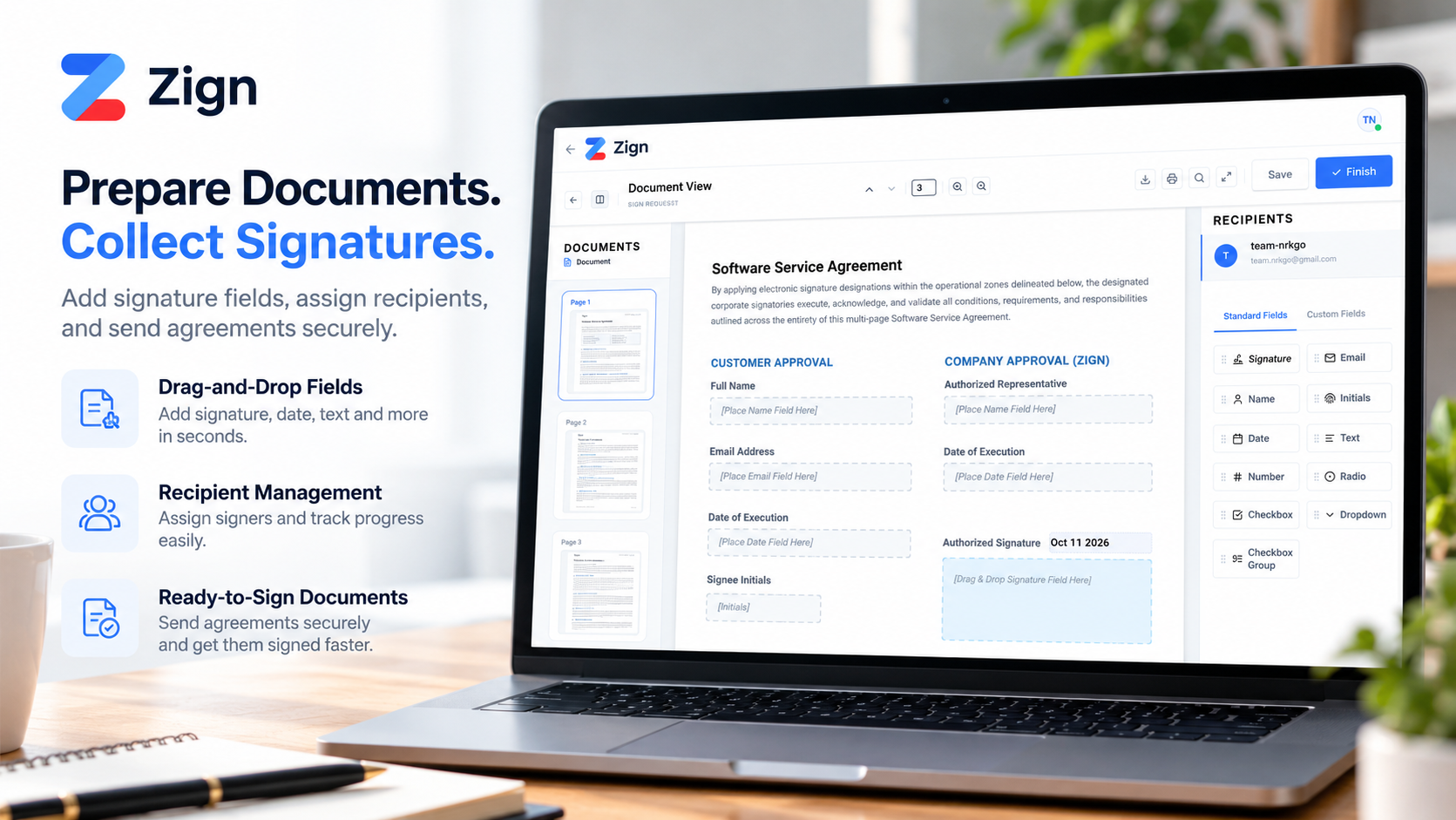
Track Every Signature, Every Step
Know exactly where your agreement stands in real time:
- Real-Time Status: Instant status badges (Mailed, Viewed, Signed) across all parties.
- Recipient Tracking: See the exact date and timestamp when each signee opens and signs.
- Automated Reminders: Gently nudge pending signers with one-click automated follow-ups.
Eliminate email back-and-forth and guesswork. Always know who has viewed the contract and who needs to sign next.
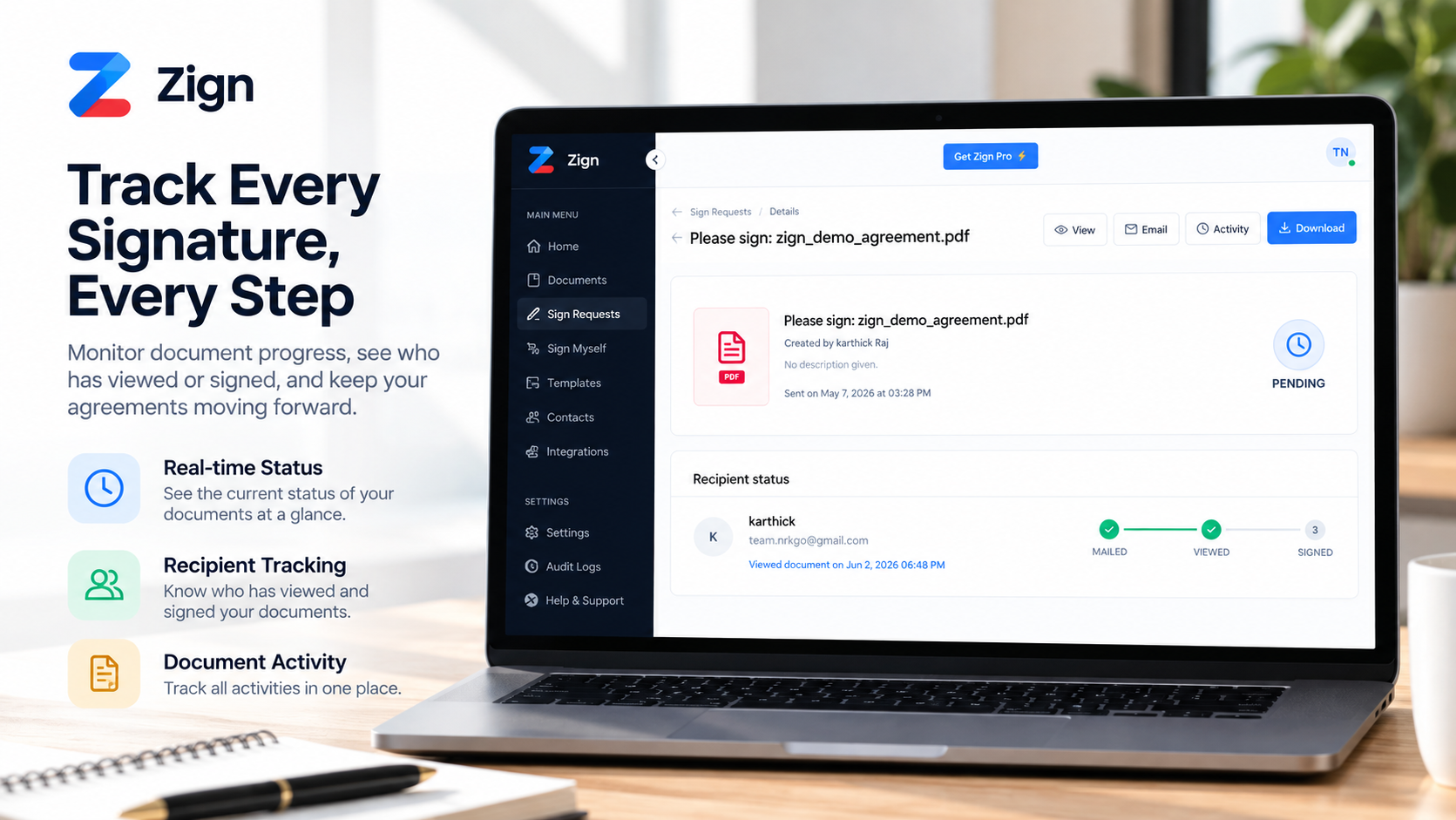
Stay in Control with Tamper-Evident Audit Logs
Maintain statutory proof and immutable records of all actions:
- Complete Activity History: Detailed logs of every document created, sent, opened, and executed.
- Signer Authentication Details: Captures IP addresses, timestamps, browser agents, and completion hashes.
- SHA-256 Digest Certificate: Tamper-evident completion certificates recognized under ESIGN and eIDAS.
Every completed document generates an immutable certificate of completion that records who signed and when.
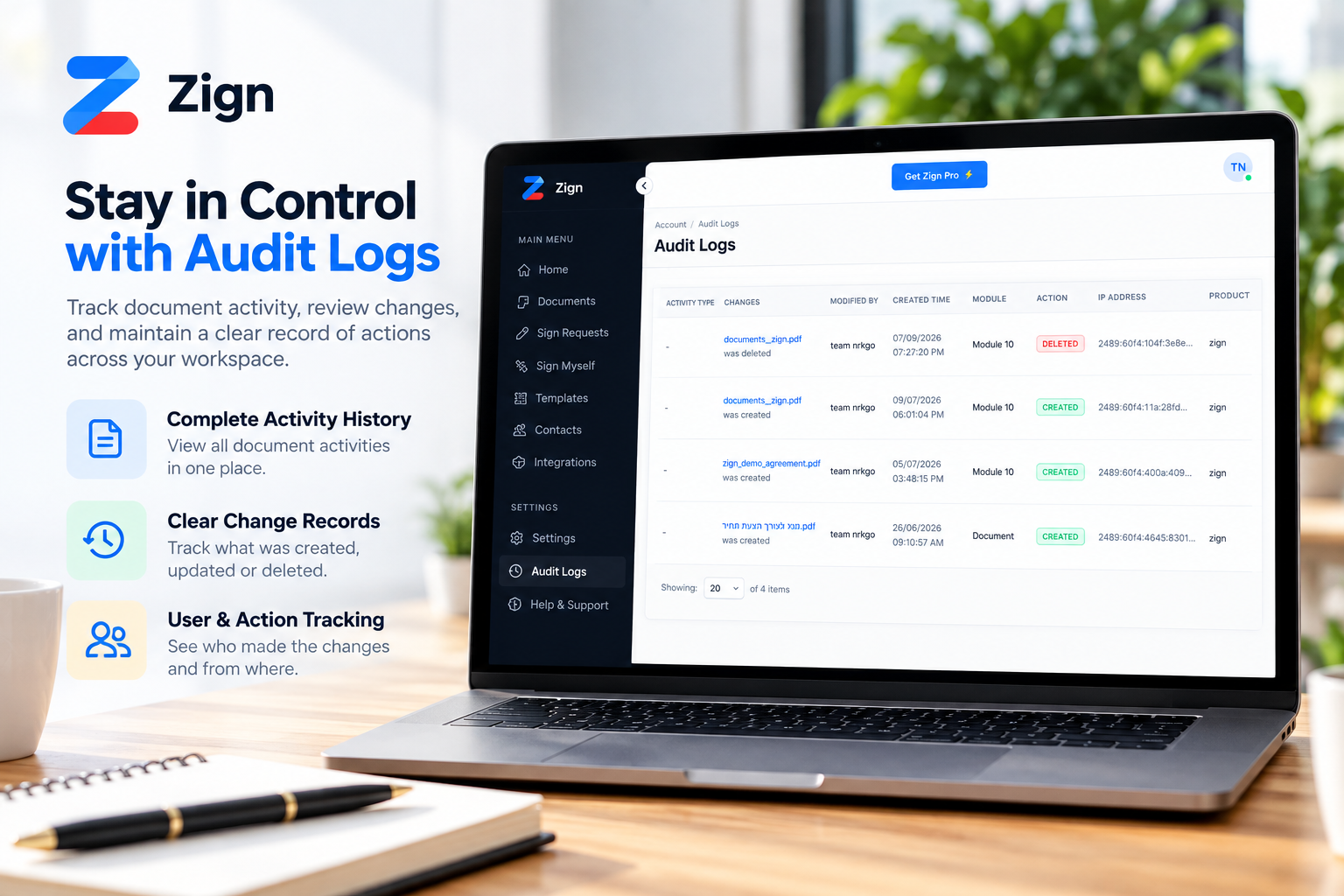
The complete e-signature solution
Everything you need to sign, dispatch, and automate your document workflows.
Built so a signed document can be proven later
A signature is only useful if you can show it is genuine months or years afterward. Zign records the evidence at signing time.
Tamper-evident seal
When the last signer finishes, the final PDF is sealed with a SHA-256 digest. Any later edit changes the digest and fails verification.
Signer audit trail
Each envelope keeps a log of who opened, signed and completed it, with IP addresses and timestamps.
Independent verification
The verify page is public, so a counterparty, auditor or court clerk can check a file without trusting you or logging in.
Your data, your call
Read how we handle your documents in the Privacy Policy, or ask us anything at [email protected]. A real person answers.
Don’t trust us. Verify it yourself.
Anyone holding a signed PDF can check it, with no account and no login. Upload the file and Zign tells you whether it is the original or has been edited since signing.
Upload the final PDF
Drop in the signed document you received. Nothing to install and no sign-up.
We check the cryptographic seal
Zign compares the file against the SHA-256 digest recorded when the last signer finished. Change one character and the check fails.
See the result and audit trail
You get the tampering status and the signer audit trail, covering who signed and when.
Simple, Affordable Pricing for Everyone
Secure electronic signatures without the enterprise price tag. Select the plan that fits your needs.
- 5 completed documents per month
- Single-user access
- Standard signatures (Type, Draw)
- Basic email notifications
- Self-service Help Center
- Unlimited envelopes & requests
- Professional PDF certificates
- Technical IP & device tracking
- 5 reusable active templates
- Custom branding & email logos
- Flexible recipient sign ordering
- Everything in Pro, plus:
- Includes 3 users (+$5/mo per extra seat)
- 15 reusable active templates
- Secure Two-Factor Authentication (2FA)
- Auto-backup to Dropbox / Box
- Shared team dashboard & search
- Everything in Team, plus:
- Includes 5 users (+$5/mo per extra seat)
- Unlimited reusable active templates
- Multi-user roles & custom permissions
- Custom legal disclosures
- Advanced API access token
- Priority 24/7 support channels
Frequently Asked Questions
Everything you need to know about legally binding e-signatures, integrations, and automation with Zign.
Are e-signatures generated on Zign legally binding?
Yes. Every signature generated on Zign complies with the US ESIGN Act, UETA, and European eIDAS regulations. Completed documents include a tamper-evident cryptographic SHA-256 hash certificate, signer IP timestamps, and an immutable audit log trail admissible in legal proceedings.
Can I start using Zign for free?
Yes, our Free plan includes 5 document envelopes every month with zero setup costs or credit card required. You get access to all core features, standard field palettes, and legal verification certificates. When your volume grows, upgrade to Pro for just $9/month for unlimited documents.
How can I check that a signed PDF hasn’t been edited?
Upload the file at zign.nrkgo.com/#/verify. Zign checks the cryptographic seal, reports the tampering status, and shows the signer audit trail. Anyone can do this without an account.
How do the Webhook and REST APIs work?
Our developer-friendly REST API allows you to programmatically create signing requests, upload custom PDFs, place signer fields, and issue pre-filled zero-login signature links. Webhook event listeners send real-time payloads to your server as soon as a document is viewed, signed, declined, or completed.
Can I automate workflows with Make, Zapier, and AI?
Absolutely. With our native Make (Integromat) and Zapier integrations, you can connect Zign to thousands of apps and modern AI workflows. Trigger contract generation directly from your CRM, parse document contents using AI agents, and automatically dispatch signatures without manual intervention.
How does custom email delivery via SMTP or Resend work?
You can send signing invitation emails directly from your company domain. Configure your custom SMTP server or enter your Resend API credentials so all envelope dispatch alerts, reminder pings, and completion receipts come from your verified email address rather than generic third-party servers.
Can I automatically back up completed documents to Dropbox, Google, or Box?
Yes. Once enabled in your account settings, Zign will automatically archive finalized, sealed PDF contracts along with their separate audit log summary sheets straight into designated folders inside your Dropbox, Google Drive, or Box account.
Sign documents free in seconds — or get unlimited for $9/mo
Join developers, freelancers, agencies, and HR/legal teams using Zign.